
Purpose
To give an explanation of the options available within the Settings for Automatic Barcodes
Covers: Automatic Borrower and Resource barcode settings
Does not cover: Cataloguing resources, assigning barcodes, adding borrowers
Instructions
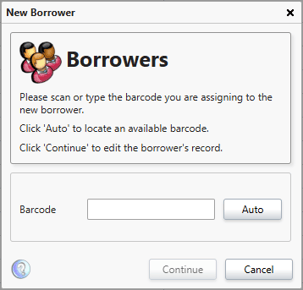
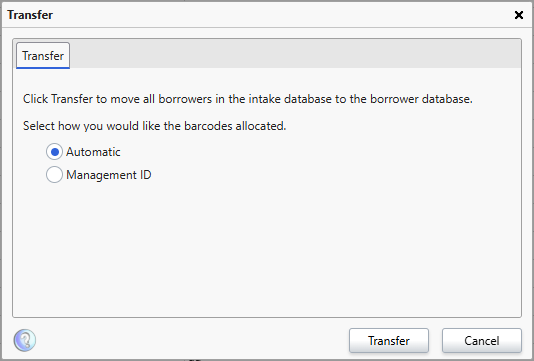
The library system can automatically assign barcodes to borrowers (Students or Staff). This happens when adding a borrower manually and when transferring borrowers from the Intake table, after importing a CSV.
This option can also be used when cataloguing resources
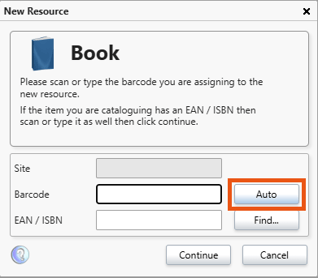
When assigning barcodes automatically, the specification in the Automatic Barcode settings are applied. The options within define the rules of how the system generates this automatic number.
To alter these settings, log into your library system as a user with administrator level rights (not librarian) and select 'Settings' on the menu bar at the top of the Management page. From the menu select 'Barcodes' and then select the 'Automatic Barcodes' tab.
These settings define how the system generates an automatic barcode number. There are two options that can be specified: Length and Character.
There are separate options for Resources and for Borrowers.
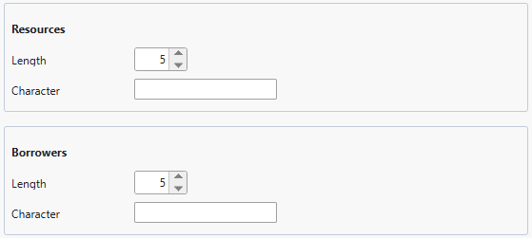
The Length field determines the number of digits the barcode will be when generated. For example, setting the length to 5 will always ensure that the barcode is at least 5 digits, so if the first number were 25, the number generated would be 00025. This is a minimum cap, not a maximum. If you have more records than would allow for 5 digits (when you exceed 100,000 resources), then the automatic barcodes will jump to 6 digits and so on.
The Character field is used to add a letter to the beginning of the barcode. If the length is 5, the character is B and the first generated barcode is 26 then the actual barcode generated will B00026. Notice that the character is not included as part of the specified length and the actual length of the barcode is now 6. If you choose to enter a Character, it must be an upper-case letter.
How some of our other customers have phrased this
- How can I change the appearance of the automatic barcodes?
- Can I amend the barcode settings?