
Purpose
To detail how a reminder can be set to send to a parent/guardian
Covers: Setting reminder recipient
Does not cover: Scheduling reminders
Instructions
Email reminders can be sent to either the borrower or the borrower's guardian. To email a guardian you must first set the guardian details (including an email address) in either the 'Guardian 1' or 'Guardian 2' tabs for the associated borrower.
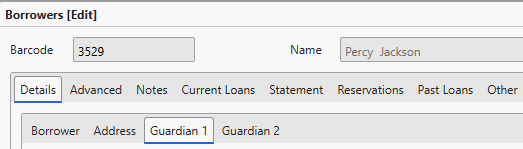
You will then need to edit the recipient of the reminder you intend to send out to the guardian.
Open the reminder you wish to edit and open the 'Options' tab of the reminder. Ensure that 'Send the reminder to' is set to either Guardian 1 or 2 (depending on which contact you wish to send to) and that 'Output to' is set to one of the Email options.
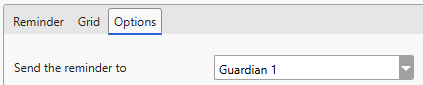
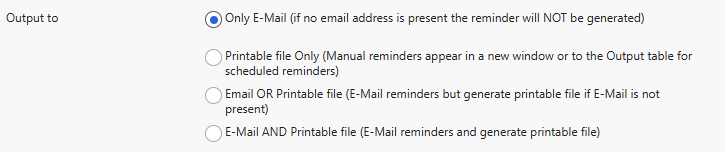
The email address specified in Guardian 1/2 will then receive an email reminder once the reminder is generated.
Get the most out of Reading Cloud with our flexible training packages delivered at a level and pace that suits your needs. Find out more.
How some of our other customers have phrased this
- How do I set a reminder to go to a parent?