
Purpose
To detail the process for merging duplicate borrower record.
Covers: Preparing Borrower records for merging
Does not cover: Duplicates in Intake
Instructions
If you have duplicates in the Borrowers table they will need to be merged.
Preparing Your Borrowers to Be Merged
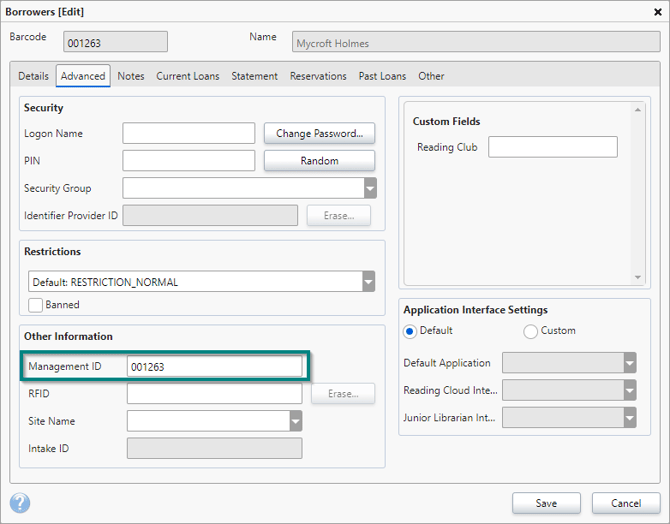
To start the process of merging your duplicate borrowers go to one of the affected records and open it, then go to the 'Advanced' tab. Once there take note of the 'Management ID' number. Next, make sure all duplicates of that borrower have the same number by doing the same on each record.
Merging Your Borrowers
Once you are happy that all duplicate borrowers have the correct management ID number, contact us and we will run a script to merge the duplicates for you.
How some of our other customers have phrased this
- How do I get rid of duplicate borrowers?
- Is it possible to merge two borrower records if they are the same person?