
Before viewing ClickView Media it needs to be setup.
Viewing ClickView Media
As part of the setup process, the ClickView team will have provided you with credentials to access the ClickView media (contact the ClickView team if this is not the case). These credentials are needed to access the ClickView resources from the front-end of the Reading Cloud library system.
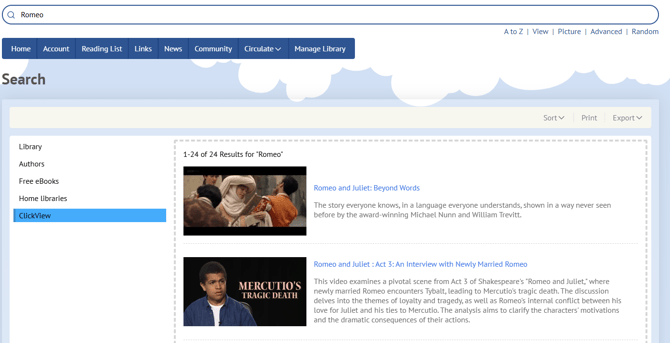
Access the Reading Cloud front-end interface and search for the desired ClickView resource using the quick search field. Then select ClickView from the options on the left.
Select the desired ClickView resource from the produced search results.
On the resource record page, select the 'ClickView' window and you will be redirected to the ClickView sign in page.